Quick Tip
Quick tip: start your lighting from the Light Setup library
47 ready lighting setups, each with a top-down diagram, an example frame and stops relative to the key.
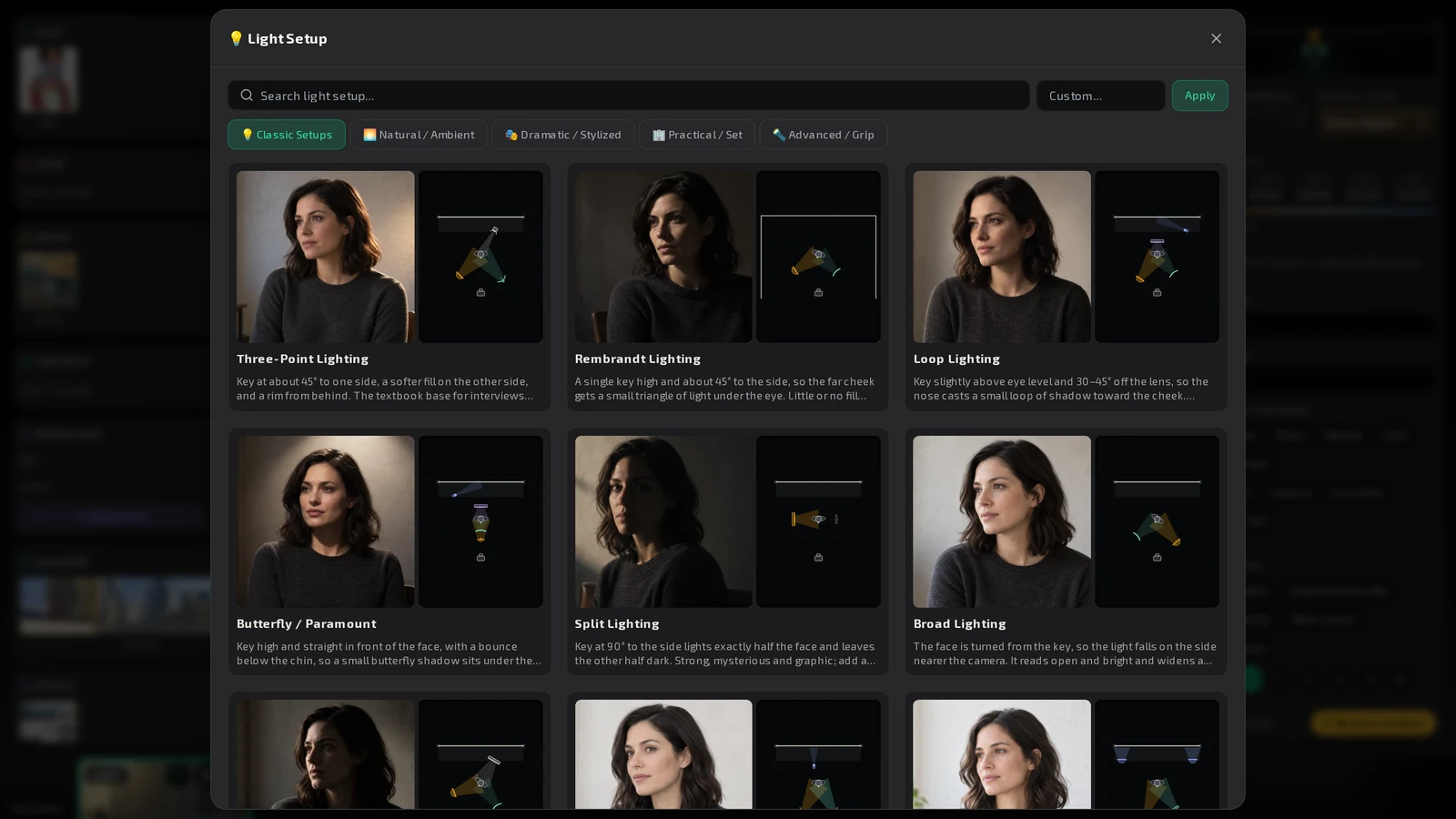
Describing light from scratch is slow. Pick a proven setup instead: the Light Setup library has 47 of them, each with an example frame and a diagram.
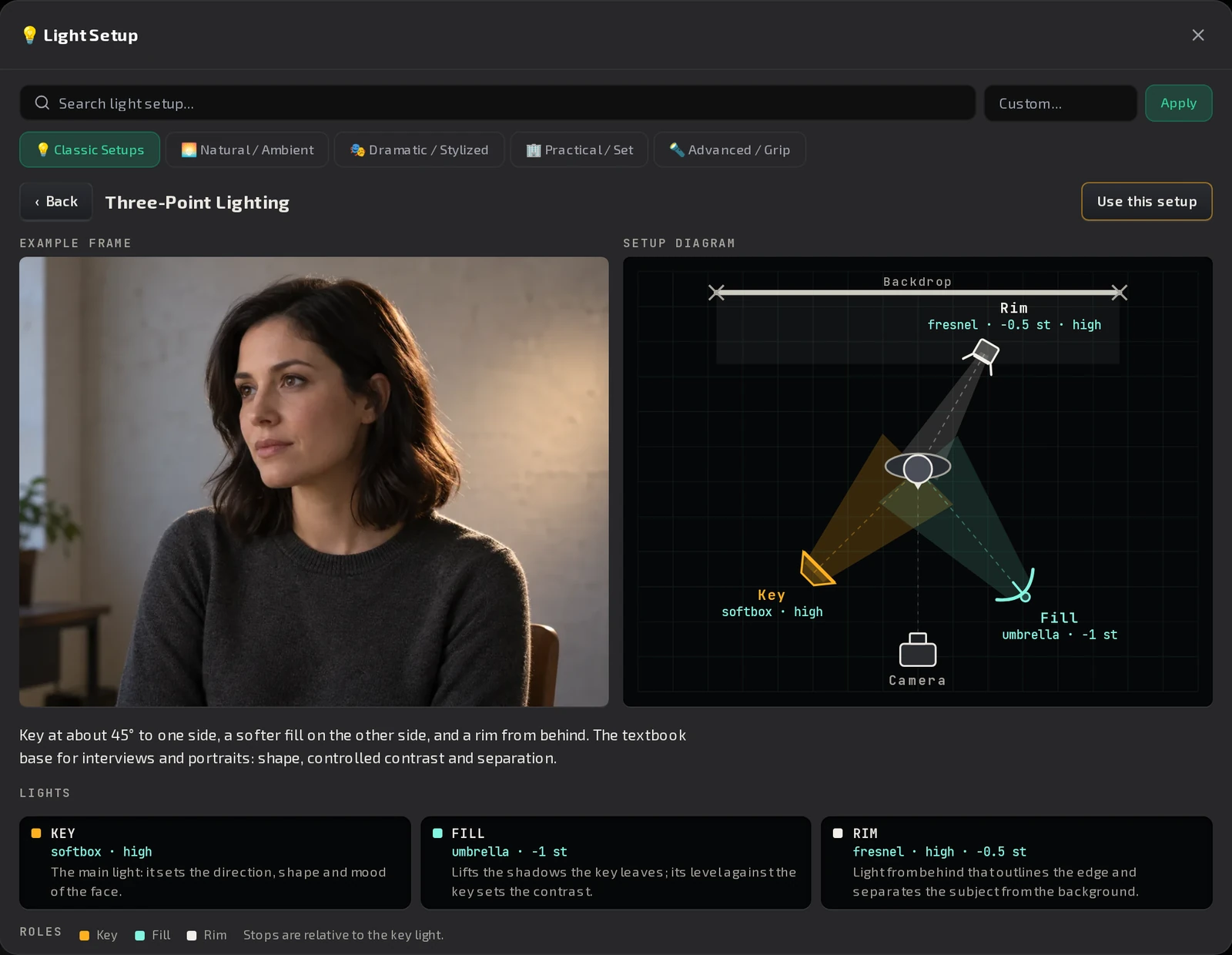
What you get
- Five tabs: Classic Setups, Natural / Ambient, Dramatic / Stylized, Practical / Set and Advanced / Grip.
- Each card shows the diagram and an example frame.
- Open a setup to see a bigger example frame and the top-down Setup diagram. Every light is labelled by role (Key, Fill, Rim, Hair, Background, Practical, Bounce), with its stops relative to the key.
- Press Use this setup to put it in the shot.
Tip
Start from the closest setup and adjust in words. A known setup gives the model a consistent starting point across the shots of a scene.
In the app
Where to find it
Open the picker of the Light field in the Shot Editor, the Scene editor or the Brief.
Published